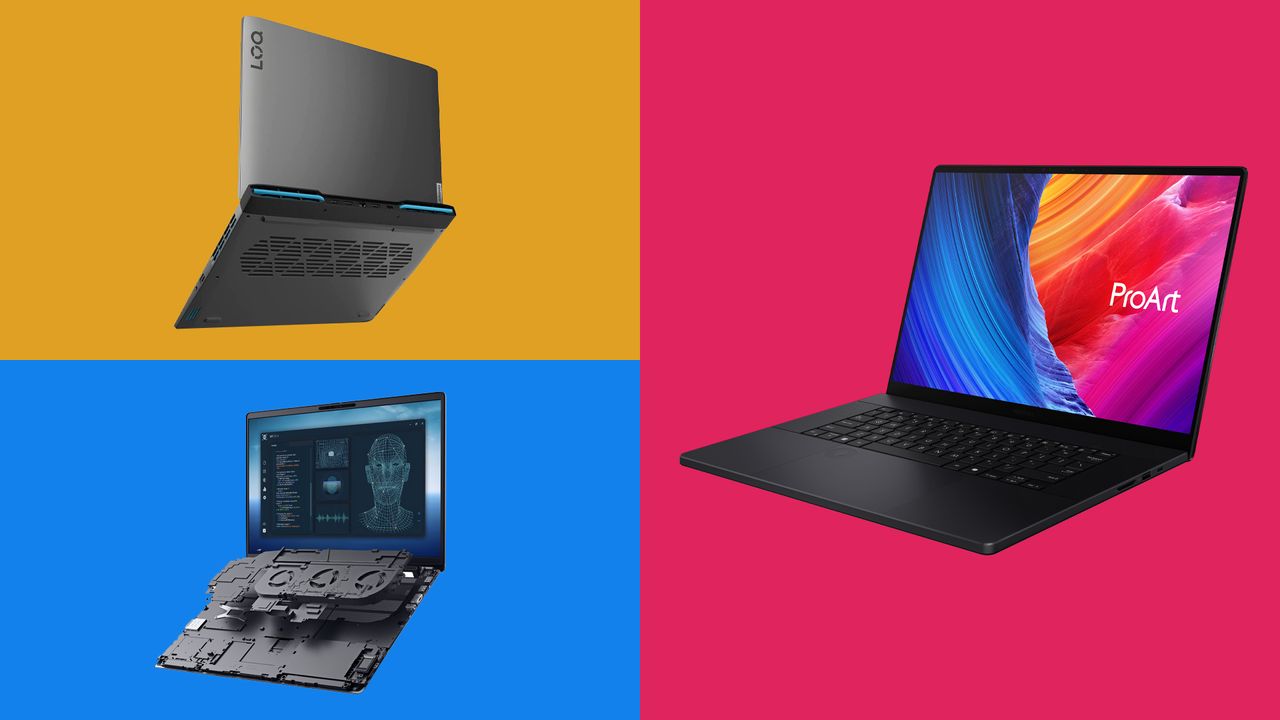
The best laptop for game development must compile complex codebases efficiently while offering top-tier visual performance for demanding real-time engines such as Unreal Engine 5 and Unity. Portability, comfort, and a great screen seal the deal.
At the moment, the ASUS ProArt P16 (2025) is the best overall choice for devs, blending nigh-on essential high memory bandwidth with a remarkably portable design. For teams integrating local machine learning, such as deploying on-device generative art tools or training neural NPC behaviour trees, the Acer Predator Helios Neo 16S AI is our favourite laptop for AI workflows.
If your work leans more towards keyframe rigging and linear cinematic scenes rather than interactive real-time mechanics, check out our round-up of the best laptops for animation.
The best laptop for game development overall
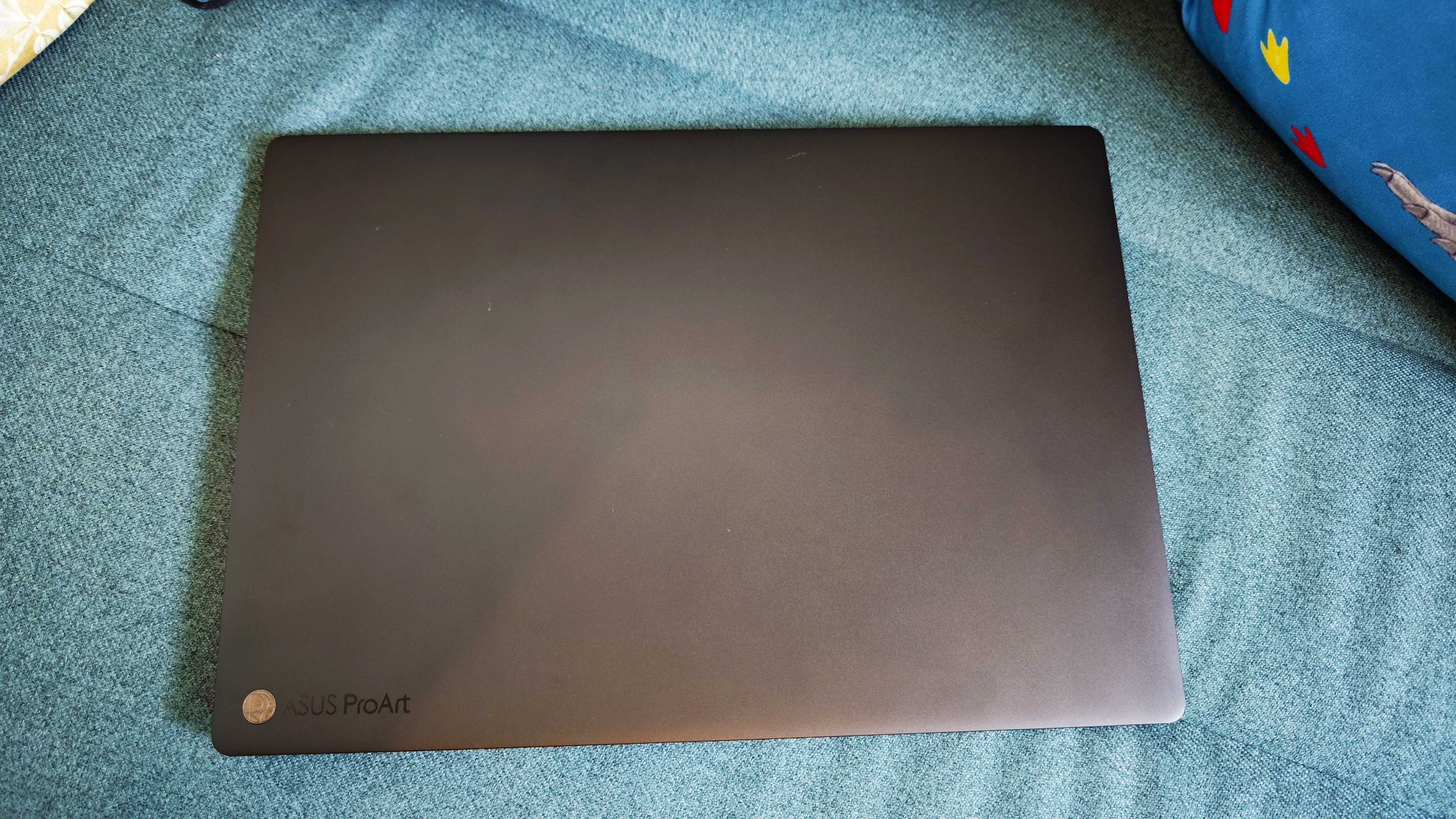
01. ASUS ProArt P16 (2025)
The best laptop for game development
CPU: AMD Ryzen AI 9 HX 370 + NPU: AMD XDNA 50 TOPS | Graphics: NVIDIA GeForce RTX 5070 Laptop GPU | RAM: 64GB | Screen: 16in OLED Resolution 2880 x 1800 60Hz Colour gamut 100% P3 | Storage: 2TB SSD
Very powerfulBeautiful screenImproved graphical heftEasy to smudge Expensive
30-second review: In game development, the right laptop can make all the difference between a smooth, productive experience and endless frustration. The ASUS ProArt P16 (2025) positions itself as a powerful, studio-ready laptop, equipped with cutting-edge hardware that can handle everything from game design and 3D modelling to video rendering and beyond – including the latest AMD Ryzen CPU with a dedicated AI processor, and NVIDIA's 5070 graphics card.
Price: The 2025 ASUS ProArt P16 will usually set you back £2,799.99 in the UK, and $2,899.99 in the US. That's undeniably a premium laptop, though with performance as good as this, you could argue it earns its price tag.
Design & Build: The ProArt P16 (2025) takes the same no-nonsense approach to design that its 2024 predecessor did, to the point where you might have trouble telling them apart at first. Its professional, work-focused aesthetic is ideal if you're developing games as part of a formal team or company, and while its near-2kg weight means it's not the lightest, it's also pleasingly sturdy.
One of its standout features here is the ASUS Dial, integrated into the touchpad, which allows you to adjust customisable settings with a simple twist of your finger. It's an easy thing to integrate into your workflow and get to the point where you wonder how you got along without it. The only real criticism our reviewer could level was that ASUS have switched to a proprietary charger, meaning you can't buy generic ones and instead have to use theirs.
Connectivity: The ProArt P16 offers an excellent selection of ports for game developers who may need to connect various peripherals or external displays. With USB 3.2 Gen 2, USB 4.0, HDMI 2.1, and an SD Express 7.0 card reader, you have more than enough options. There's no Thunderbolt 5, but speeds should realistically be more than ample.
Display: The 16-inch OLED screen looks great. It actually has a lower resolution than the 2024 P16's screen did, with 3K rather than 4K; however the trade-off for this is a glorious 120 Hz refresh rate, which should be music to the ears (to the eyes?) of game devs. It also delivers an incredible level of detail and colour accuracy, covering 100% of the P3 colour gamut. This makes it ideal for game art and asset design, where colour precision and contrast are crucial.
Performance: Under the hood, the ProArt P16 is a beast. Powered by the AMD Ryzen 9 HX 370 CPU with 12 cores and 24 threads, it delivers incredible multi-threaded performance: perfect for tasks like 3D modelling, compiling code, and running simulations in game engines. On the graphical end, you get the NVIDIA GeForce RTX 5070 Laptop GPU, which delivers a notable uptick in performance from the previous version– our reviewer measured a difference of about 25-28%.
Battery Life: For a machine this powerful, battery life is pretty decent. In our tests, it managed about 6 hours of continuous video playback before giving up the ghost. While that's notably less than the 10 hours achieved by the 2024 P16, it's also worth asking how often exactly anyone is going to be carrying this near-2kg laptop far away from a plug socket.
The best budget laptop for game development
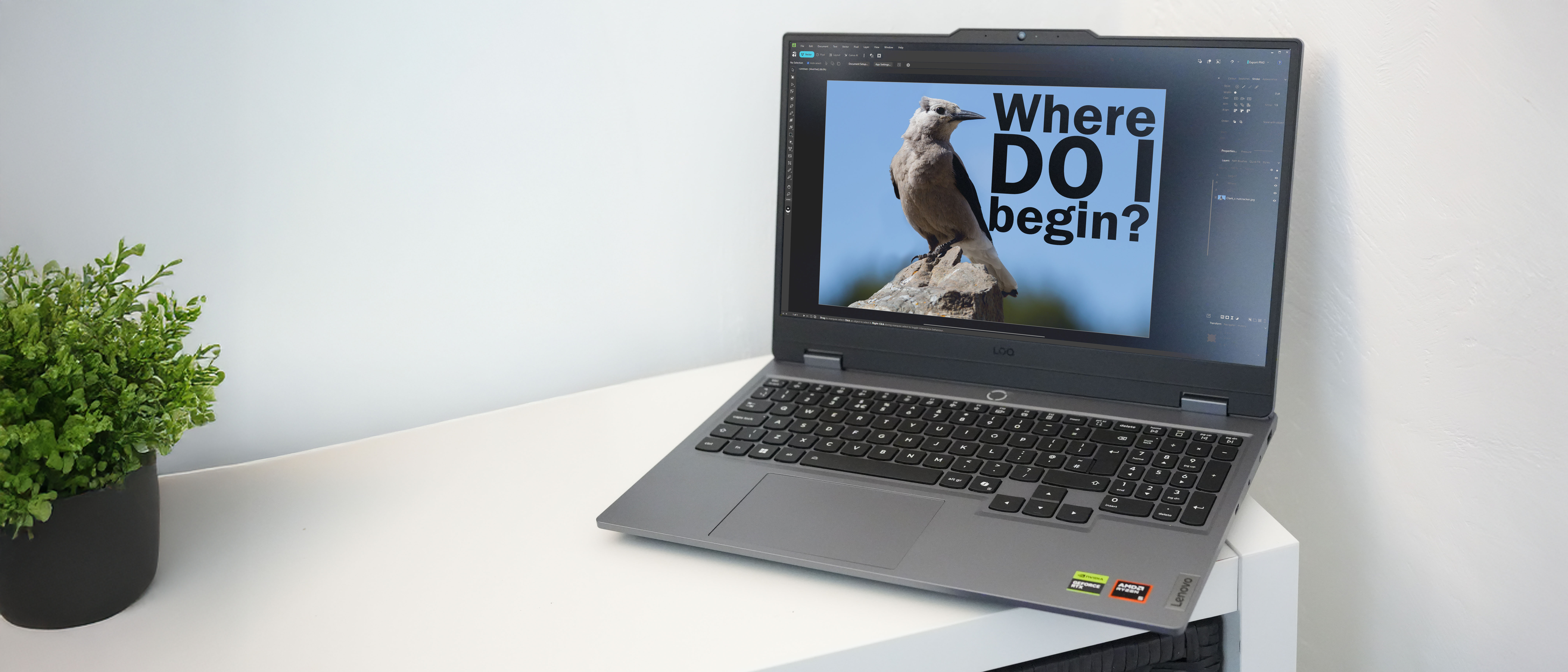
02. Lenovo LOQ 15i Gen 10
A more affordable gaming laptop for game development
CPU: AMD Ryzen 5 220 | Graphics: Nvidia GeForce RTX 5050 | RAM: 16GB DDR5 | Screen: 15in IPS, 1920 x 1080, 144Hz, 82% P3 | Storage: 500GB SSD
Decent specs and GPU for the priceGood graphics and AI processingWell builtCPU a step behind rivalsNo ports faster than 10GbpsBig and heavy
30-second review: The Lenovo LOQ 15i Gen 10 proves you don't need to spend a fortune to get a capable game dev machine. With an Nvidia RTX 5050 GPU, 16GB of DDR5 RAM and a 144Hz display, it handles code compilation, 2D asset work and light 3D tasks with ease. The CPU is a mid-range offering, but the GPU picks up the slack for creative workflows. And at around £699, this is one of the best-value entry points into discrete-GPU game dev we've tested.
Price: The Lenovo LOQ 15i Gen 10 is priced at around £699 / $899, making it one of the most affordable discrete-GPU laptops for game development. You're getting an RTX 5050 for less than the cost of most mid-range laptops. A bargain for indie developers and students who need GPU horsepower on a budget.
Design & Build: The 'Luna Grey' finish is understated and relatively toned down for a gaming laptop. The chassis is solidly built with no flex, and while it's big and heavy at 2.3kg, with ports arranged on the back edge for tidy desk cable management, this is clearly designed to live mostly on a desk. The keyboard includes a slimline numpad, and the full-size arrow keys are welcome for nudging elements in design software.
Connectivity: An HDMI 2.1, Ethernet, a pair of USB-A ports on the rear, plus a single USB-A and USB-C (10Gbps) on the right side. There's no Thunderbolt or USB4, which is the main connectivity compromise at this price. Lenovo uses its own proprietary charging port on the rear, which means you're tied to the supplied charger.
Display: The 15-inch 1080p IPS panel has a 144Hz refresh rate and offers 358 nits brightness; that's plenty enough for general work and fast-paced gameplay testing. Colour coverage, meanwhile, is 82% DCI-P3 and full sRGB, which is acceptable for general asset work but you'll want an external colour-accurate monitor for anything requiring precision.
Performance: The RTX 5050 GPU is the star here: its Geekbench 6 graphics score places it alongside M3 Max chips and other gaming laptop staples, and it actually edged out the M5 MacBook Pro in Premiere Pro tests. The Ryzen 5 CPU is modest in multi-core workloads, but holds up for everyday game development tasks. Battery life exceeded five hours in video testing; exceptional for a gaming machine at this price.
The most powerful laptop for game development
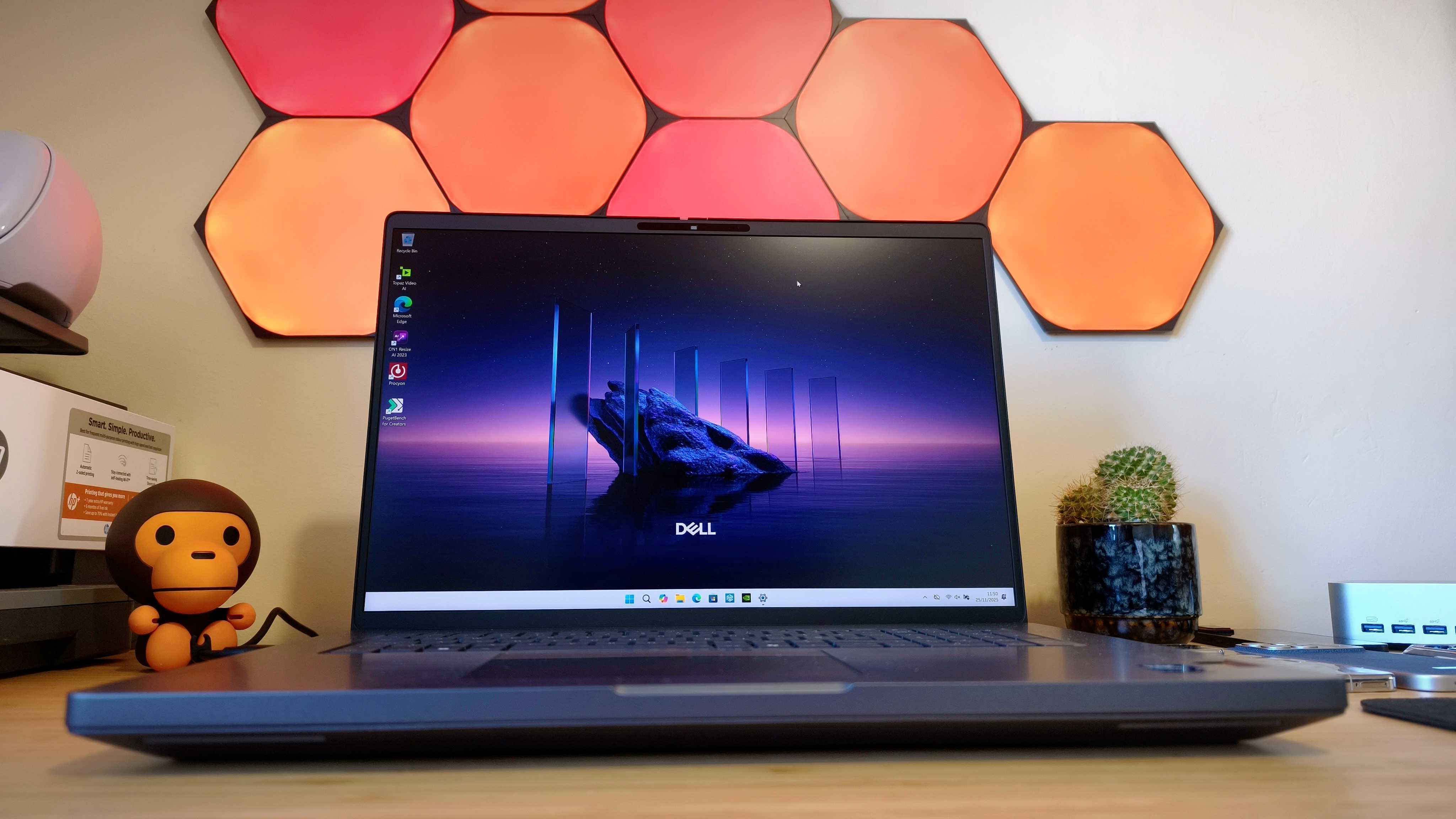
03. Dell Pro Max 18 Plus
The most powerful laptop for game development
CPU: Intel Core Ultra 9 285HX + NPU: Intel AI Boost (47 TOPS) | Graphics: NVIDIA RTX Pro 5000 Ada (24GB VRAM) | RAM: Up to 128GB DDR5 | Screen: 18in LCD, 2560 x 1600, 99.6% DCI-P3, 496 nits | Storage: Up to 2TB SSD
Outrageous powerColour-accurate 18-inch displayThunderbolt 5 Dizzyingly expensive at top specHeavy at 3.25kgBattery life of around 3 hours under load
30-second review: The Dell Pro Max 18 Plus is a mobile workstation that behaves like a desktop-class accelerator in a laptop chassis. Configured with Intel's Core Ultra 9 285HX processor, up to 128GB of RAM and NVIDIA's RTX Pro 5000 Ada GPU with 24GB of VRAM, it absolutely dominated every benchmark our reviewer threw at it. The 18-inch QHD+ display is expansive and colour-accurate, making complex scenes, dense timelines and game engine previews feel spacious rather than cramped. This is not a machine you'll carry to a café; but if your workflow demands uncompromising GPU power for heavy render passes, simulations and real-time ray tracing, few come close.
Price: The Dell Pro Max 18 starts at £2,599 / $3,789 for a configuration with the Core Ultra 7, 32GB RAM and RTX 1000 Ada. The top-spec model tested – with Core Ultra 9, 128GB RAM, and RTX Pro 5000 Ada – costs £6,766 / $9,053. That's a mind-scrambling sum, but the performance is genuinely extraordinary.
Design & Build: The Pro Max 18 leans into a utilitarian aesthetic: solid, squared, and unmistakably 'Dell'. It prioritises function over flair, and that comes through from the moment you pick it up. The 18-inch display is the headliner: huge, bright and confident with colour, with Dell's claimed 100% DCI-P3 coverage backed up by our measured 99.6%. The absence of touch input on a screen this size is the only notable miss.
Connectivity: Thunderbolt 5 ports are a genuine highlight for heavy workflows: fast external storage, high-bandwidth displays, capture devices and GPU-accelerated rigs can all slot in cleanly. There's also an additional 10Gbps USB-C on the right side, three USB-A ports, HDMI 2.1, an SD card slot, and audio out. Practically everything you'd need for a modular studio setup.
Performance: Our reviewer's reaction during testing ("Dear god the power") was understated. The RTX Pro 5000 Ada GPU trounced the competition across CPU, 3D and graphics-AI workloads decisively, not marginally. Dense simulations, heavy render passes and GPU-bound game engine work are all handled without complaint. The reviewer used it as their daily driver for three weeks with no hiccups, running an escalating pile of apps and browser tabs throughout. Battery life, however, conked out at 3 hours and 17 minutes in the looping video test, and anecdotally showed clear drain during everyday workflows when unplugged.
The best AI laptop for game development
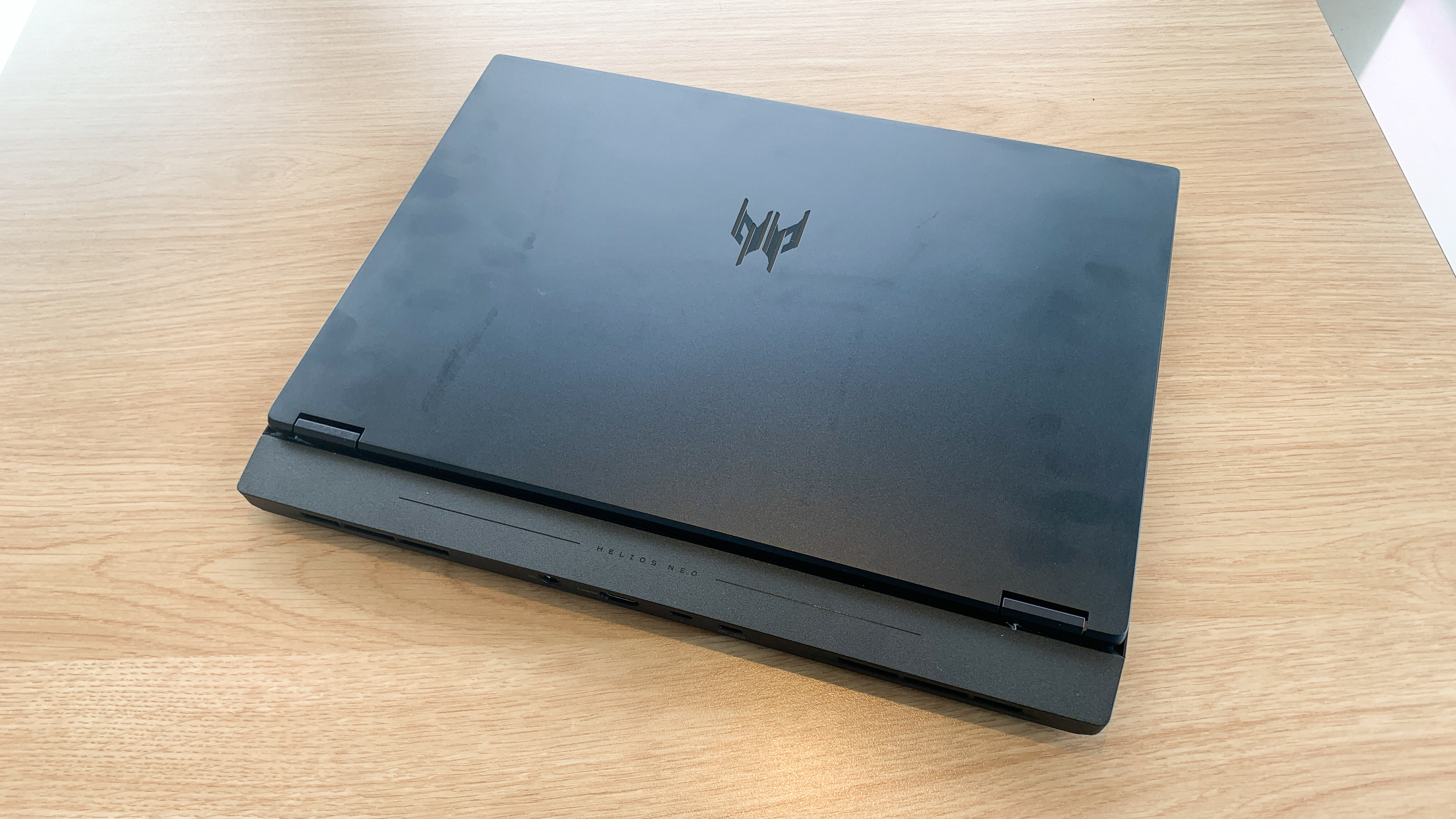
04. Acer Predator Helios Neo 16S AI
The best AI laptop for game development
CPU: Intel Core Ultra 9 275HX | Graphics: NVIDIA GeForce RTX 5070 Ti Laptop | RAM: 32GB or 64GB | Screen: 16-inch OLED (2560 x 1600, 240Hz) | Storage: 1TB SSD
2560 x 1600px OLED displayLightweight and portableGreat valueReflective displayLoud fansPoor battery life
30-second review: For game developers building in Unreal Engine 5 or Unity, the Acer Predator Helios Neo 16S AI serves as a fantastic, highly portable mobile development station. It pairs Intel’s high-TOPS Core Ultra 9 processor with NVIDIA's RTX 5070 Ti, providing the visual horsepower needed to compile shaders, test AI-driven NPC trees, and render lighting systems in real-time.
Price: Despite being a laptop of the RAMageddon generation, the Helios Neo 16S AI represents surprisingly good value for money. The Core Ultra 9 model with 32GB of RAM we reviewed is typically priced around $2,049 / £2,099, with lower-end entry models starting at around $1,599 / £1,499.
Design & Build: The redesigned chassis is surprisingly portable, measuring just 19.9mm thick. It uses a premium, bead-blasted aluminium top cover and keyboard deck that resists fingerprints well. The port array makes attaching external displays simple, keeping thick HDMI and Thunderbolt 4 cables out of your way at the rear.
Display: The WQXGA OLED display is stunning, delivering incredibly vibrant, accurate colours. The drawback is that its glossy screen is highly reflective under bright studio overhead lighting, creating distracting glare when you're creating darker scenes or coding in night mode.
Performance: Game development is taxing, but the Helios Neo 16S AI handles just about anything you can throw at it. NVIDIA's dedicated Tensor cores accelerate real-time rendering, while Unreal Engine 5's Lumen and Nanite systems run smoothly in the viewport. The built-in Acer Intelligence Space serves as a dedicated hub for deploying local AI tools. However, the cooling fans can get loud under load. An additional trade-off for this portable power is battery life, which is poor: expect under two hours of real-world development. You'll either need to code really fast or ensure you're always plugged in.
The best MacBook for game development

05. MacBook Pro 16 (M5 Max, 2026)
The best MacBook for game development
CPU: Apple M5 Max 18-core CPU | Graphics: M5 Max 18-core or 40-core GPU | RAM: 48GB - 128GB | Screen: 14.2-inch Liquid Retina XDR display (3024 x 1964), 120Hz | Storage: 2TB, 4TB or 8TB SSD
Supremely powerfulLots of RAM and storageThunderbolt 5Supremely expensiveStill no OLED or touchscreen
30-second review: For (rich) high-end developers working within the Apple ecosystem or multi-platform devs looking for peerless on-the-go power, the 14-inch MacBook Pro with M5 Max is a masterpiece of portability. Carrying a 40-core GPU, and a minimum 48GB of memory and 2TB SSD, this machine handles epic scenes in Unreal Engine 5, compiling massive directories, and caching active high-res layers flawlessly—even when running on battery.
Price: Starts at $3,199 / £3,199 for the M5 Max 14-inch configuration, with the price doubling for the highest specs. However, thanks to Apple's commitment to long-term device support, it's a laptop that will keep you going through a few generations of game development.
Design & Build: The space black finish features an anodised seal that significantly reduces fingerprints, ensuring the chassis stays clean during greasy development sessions. Despite its immense power, the machine maintains a remarkably compact footprint, weighing in at just 1.61kg (3.5 lbs) and measuring roughly 15.5mm in thickness, making it easy to slip into any standard laptop sleeve or tech backpack for working on the go.
Connectivity: The MacBook Pro packs three state-of-the-art Thunderbolt 5 ports offering up to 120Gbps of bandwidth, alongside a full-sized HDMI 2.1 port and an SDXC card reader, making file sharing quick, easy, and dongle-free.
Display: A jaw-dropping 14.2-inch Liquid Retina XDR display offers a 120Hz ProMotion refresh rate, providing fluid motion and high-contrast, colour-accurate visuals essential for professional game art and rendering previews.
Performance: Apple has somehow packed 40 cores into its GPU, alongside hardware-accelerated ray tracing and dedicated per-core neural accelerators, allowing you to develop and preview rich lighting configurations locally. The memory bandwidth of 614 GB/s allows the CPU and GPU to share heavy texture folders instantly, reducing compile times to seconds.
Battery life: Unlike Windows workstations that restrict performance on battery power, the M5 Max delivers its full compiling and rendering speeds unplugged, allowing for a reliable workflow even when working from a cafe or commuting by train or private jet.
Read more: MacBook Pro M5 Max review
- Back to the top ⤴
The best workstation for game design
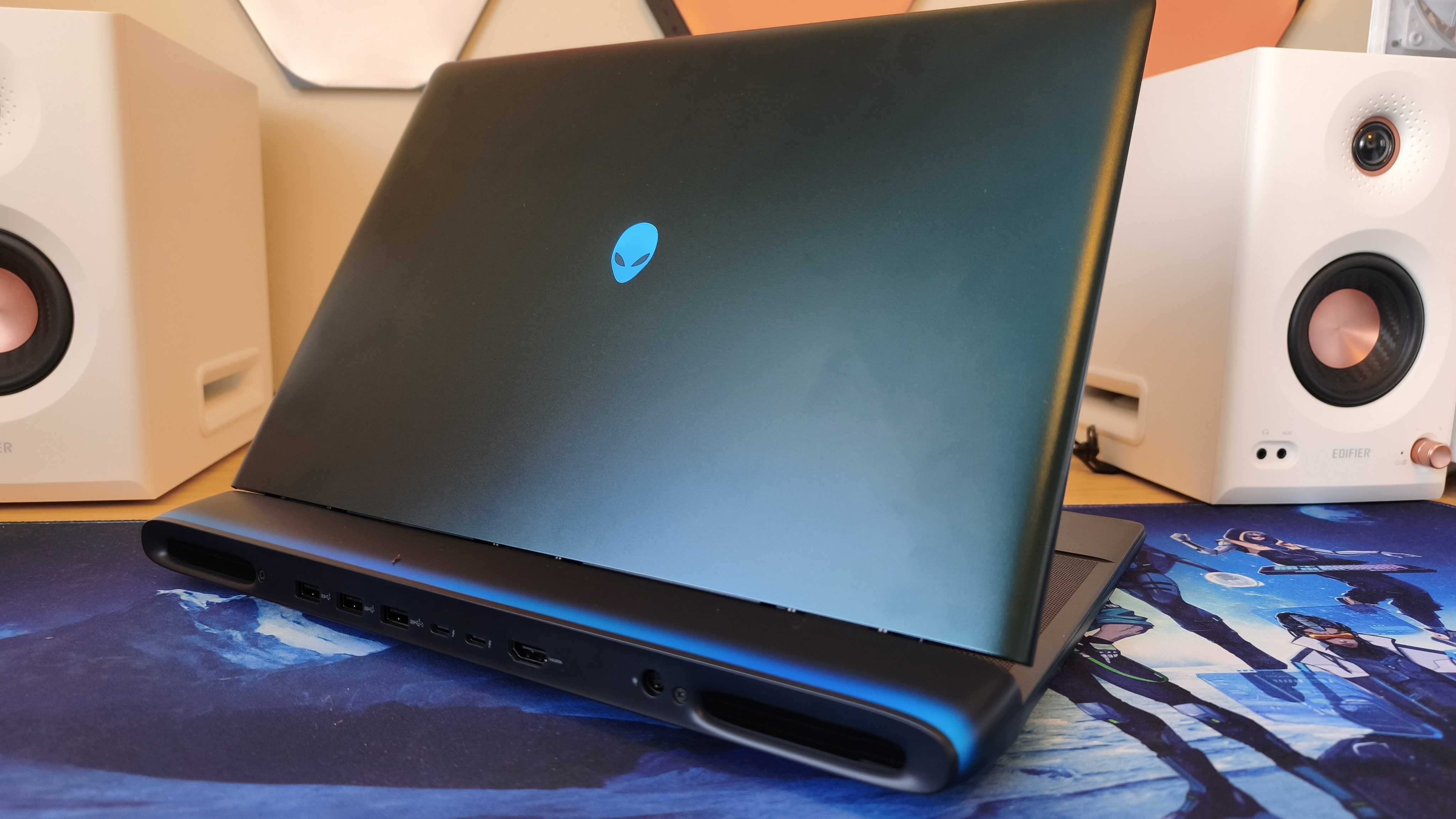
06. Alienware 16 Area-51
The best workstation for game design
CPU: Intel Core Ultra 9 275HX (24-core, 2.7-5.4GHz) | Graphics: NVIDIA GeForce RTX 5090 24GB GDDR6 | RAM: 32GB DDR5 (6400MT/s) | Screen: 16-inch QHD+ (2560x1600) 240Hz IPS | Storage: 2TB SSD
Unmatched real-time rendering 240Hz display perfect for testing gameplayExceptional compile times with 24-core CPUExtremely heavy at 3.4kgPoor battery life (around 3.5 hours)Premium pricing for top configuration
30-second review: The Alienware 16 Area-51 is a game development powerhouse that bridges the gap between creation and play testing. With the flagship NVIDIA RTX 5090 GPU and Intel Core Ultra 9 275HX processor, it handles Unreal Engine 5, Unity, and other demanding game engines with remarkable ease. The 16-inch display delivers a sharp 2560x1600 resolution at 240Hz, allowing developers to experience their games exactly as players will, whilst the high refresh rate ensures buttery-smooth editor performance.
Price: Starting at £1,999.01 / $2,749.99 for the base configuration with RTX 5070, whilst the flagship RTX 5090 model tested here costs £3,499 / $4,049.99. This represents a substantial investment, but the cutting-edge performance justifies the price for game developers working on graphically intensive projects or those requiring rapid iteration cycles.
Design: The Alienware 16 Area-51 features an anodised aluminium chassis with gaming-centric aesthetics, including customisable RGB lighting throughout. The build quality is robust and the keyboard offers excellent responsiveness for extended coding sessions. At 3.4kg, portability isn't its strong suit; this is a desktop replacement. The comprehensive port selection includes two Thunderbolt 5 ports, two USB-A ports, HDMI 2.1, and an SD card slot, all positioned on the rear for tidy cable management when connecting multiple displays or peripherals.
Performance: Equipped with the Intel Core Ultra 9 275HX and NVIDIA RTX 5090, this laptop delivers extraordinary performance across all game development workflows. Benchmark testing showed exceptional results in Cinema 4D rendering, with Adobe Photoshop and Premiere Pro performance amongst the best ever tested; crucial for asset creation and marketing materials. The RTX 5090's 24GB VRAM enables real-time ray tracing preview in game engines, whilst the processor's 24 cores dramatically reduce compile and build times. The integrated NPU accelerates AI-driven workflows, from procedural generation to NPC behaviour testing.
Battery: The battery provides approximately 3.5 hours under standard office workloads, which is admittedly limited. For serious game development sessions involving engine work, shader compilation, or play testing, you'll want to stay plugged in. Combined with its substantial weight, this laptop is best suited as a stationary development workstation.
Learn more by reading our Alienware 16 Area-51 review.
- Back to the top ⤴
The best 2-in-1 for game development
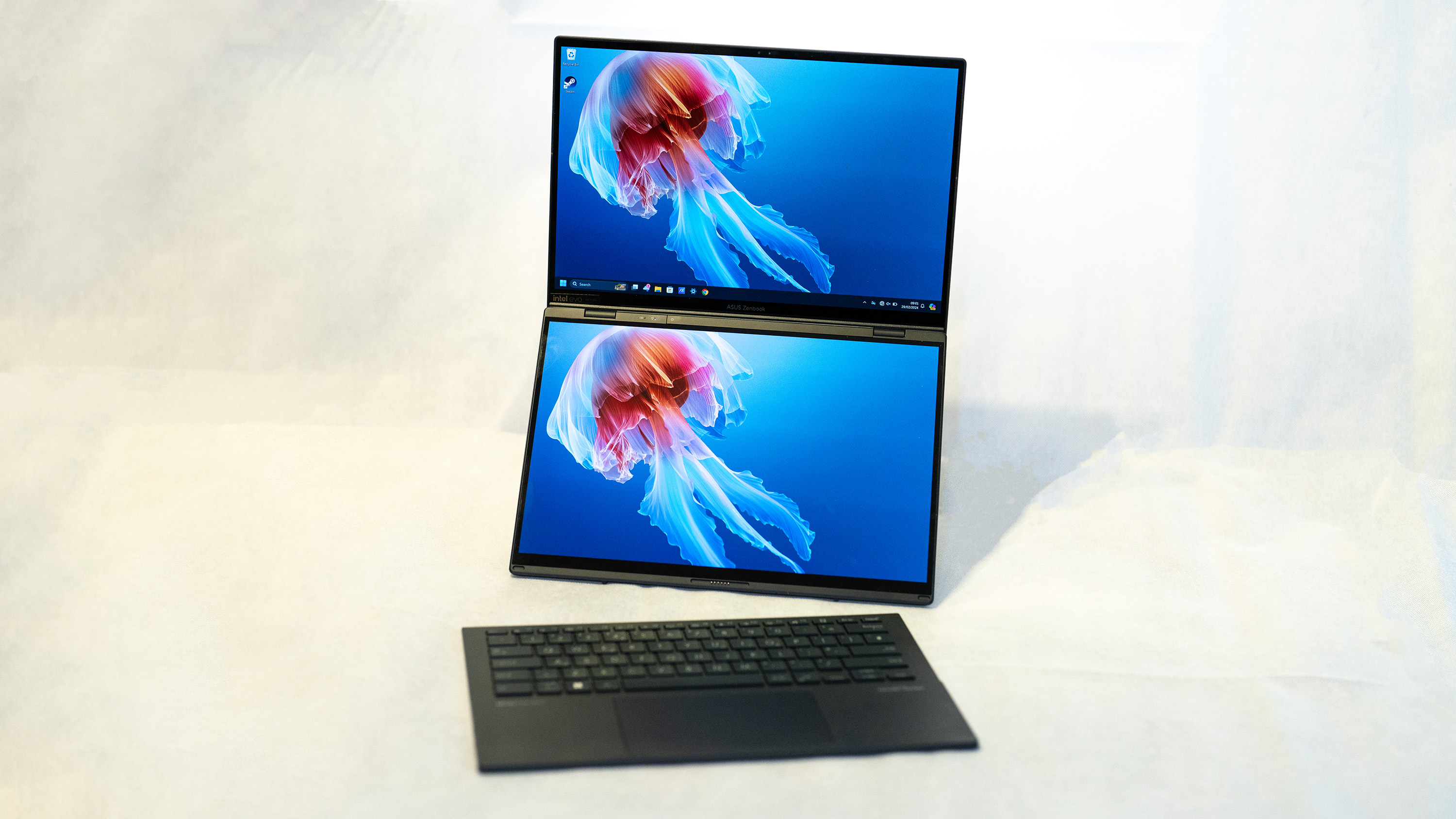
07. Asus Zenbook Duo OLED
The best 2-in-1 laptop for game development
CPU: Intel Core Ultra 9 185H | Graphics: Intel Arc Graphics | RAM: 32GB | Screen: 2x 14in 2880x1800 120Hz OLED | Storage: 2TB SSD
Two stunning screens12 hours battery life in laptop modeExciting designComes with a stylusTwo screens drain batteryNo stylus storage included
30-second review: The Asus Zenbook Duo OLED (2024) is a bold leap forward in laptop design, offering two OLED screens that expand your workspace and improve your productivity. It’s perfect for game devs who need to juggle multiple apps, documents, or projects at once.
Price: The Zenbook Duo OLED 2024 starts at around $1,499 / £1,699, with the model we tested closer to $1,700 / £2,000; firmly in the premium range.
Design & Build: The standout feature is its dual 14-inch OLED screens, with one sitting above the keyboard and the other slightly angled below, offering exceptional flexibility for productivity and creativity. The keyboard lifts up to create an ergonomic angle, and the bottom screen comes with a built-in stand, allowing you to configure the device with the screens either stacked or in portrait orientation.
Connectivity: There's a solid range of connectivity options, including two Thunderbolt 4 ports, an HDMI 2.1 port and 3.5mm audio jack.
Display: The main attraction of the Zenbook Duo OLED is its dual 14-inch OLED screens, both with a resolution of 2880 x 1800 and a 120Hz refresh rate. The vibrant OLED panels deliver rich colours, deep blacks, and sharp details, making them ideal for creative work, multimedia consumption and multitasking.
Performance: This laptop delivers impressive performance across a wide range of tasks, from everyday productivity to resource-intensive creative applications like video editing, 3D rendering, and gaming. In real-world use, our reviewer found the laptop fast and responsive, though it can get loud under heavy load, such as when downloading large files or running demanding software.
Battery Life: Battery life can be a mixed bag with the Zenbook Duo OLED. In standard laptop mode, with just one screen active, you can expect around 12 hours of use, which is impressive for a laptop of this performance class. However, when both screens are in use, battery life drops significantly.
Read more: Asus Zenbook Duo OLED review
- Back to the top ⤴
Also tested
FAQs
What specs do I need for game development?
For serious game development, aim for at least a modern 8-core CPU (Intel Core Ultra, AMD Ryzen 7, or Apple M-series), 16GB of RAM as a minimum – with 32GB strongly preferred for running a game engine alongside design tools and a browser – and a dedicated GPU if you're working with 3D rendering, real-time ray tracing or shader compilation. Fast NVMe SSD storage matters too: large project files, asset libraries and engine installs eat storage quickly, so 1TB is a sensible starting point. For 2D-focused development or solo indie projects with lighter workloads, a mid-range discrete GPU like the RTX 5050 is perfectly capable.
Is a Mac or Windows laptop better for game development?
Both platforms are viable, but they suit different workflows. Macs with Apple Silicon (particularly the MacBook Pro M4 Pro) offer outstanding CPU and GPU performance, excellent battery life and a seamless development experience for iOS game development. The downside is limited compatibility with some Windows-only tools, game engines and DirectX-based workflows. Windows laptops offer a wider range of hardware at every price point, near-universal engine and toolchain support (including DirectX 12 and Vulkan), and the ability to test games in their native PC environment. Most professional studios use Windows machines, but solo devs targeting iOS or macOS should seriously consider a MacBook.
Do I need a discrete GPU for game development?
For 3D game development involving real-time rendering, shader work or testing GPU-heavy scenes, a discrete GPU is strongly recommended; integrated graphics will bottleneck your workflow quickly. For 2D game development, visual novel creation or projects with minimal graphical demands, integrated graphics (including Apple Silicon's GPU or Intel Arc) may be sufficient. However if your workflow includes Unreal Engine 5 with Lumen and Nanite, or you're building VR content, aim for at least an RTX 4060 or equivalent; budget RTX 5050-class GPUs now offer a solid entry point for most indie 3D projects at a reasonable cost.
How much RAM do I need for game development?
16GB is the practical minimum for running a modern game engine like Unity or Unreal Engine alongside a code editor and browser, but you'll notice slowdowns when multitasking heavily or working on complex scenes. 32GB is the sweet spot for most game developers: it gives you comfortable headroom for the engine, asset tools, a DAW or video software and multiple browser tabs simultaneously. If you're working with very high-poly assets, procedural world generation or large open-world environments, or running local AI models for procedural generation or NPC behaviour, 64GB is worth considering, particularly for professional studio work.
- Back to the top ⤴
How to choose the best laptop for game development
Depending on what kind of game you’re developing, choosing the best laptop for game development can vary from person to person. If you’re working on a power-hungry and demanding 3D game, laptops with older processors won’t get the job done – you’ll need something newer and with a dedicated graphics card to ensure you can run and properly test your game. Otherwise, you might be able to get away with a less powerful machine for something like an indie game and focus your attention on other qualities that suit your lifestyle and workflow, like battery life and portability.
It’s also worth considering if you actually need to play or test the game on your laptop. If your main focus is programming, then you might only need something as lightweight and simple as a one of the best student laptops. If you do want to test your games in all their glory, though, you'll want something with more processing power, a gorgeous screen and a speedy refresh rate. If you also dabble in 3D, check out our guide to the best laptop for 3D modelling too.
- Back to the top ⤴
How we test the best laptop for game development
Creative Bloq's team of hardware experts bring with them many years of experience using, testing and benchmarking laptops with a focus on running creative applications. All the laptops in this guide have been tested either by using software used by game developers or benchmarked to ensure the CPU and GPU are capable of the most intensive game-dev tasks you can think of. We run different benchmark tests on each device depending on its intended use by its maker, but the laptops we've included in this guide have all been run through the following:
• Cinebench R23/2024 - this assesses the performance of a computer's CPU and GPU using real-world 3D rendering tasks
• Geekbench 5/6 - this tests the CPU's processing power, both by using a single core for a single task at a time as well as all the CPU's core to see its ability to multitask
• Handbrake - we use this free and open-source transcoder for digital video files to render a short 4K animated film, using the same file for all our tests
• 3DMark - this assesses a computer's ability to run graphic rendering tasks, which is necessary for architects
• PCMark 10 - this test assesses a computer’s ability to run all everyday tasks from web browsing to digital content creation, testing app launch speeds, 3D rendering and even battery life
But perhaps more importantly than technical benchmarking, we evaluate machines in real-world situations, pushing them to the limit with multiple applications running to see how they perform in real project-like conditions. Power, speed, flexibility, and what a computer looks and feels like to use are all criteria in our reviewing process.
We do much more than simply unpack a test unit, run some benchmarks and then pack it up again; we have lived and worked with all of the above computers, running them in real-life scenarios and completed projects relevant to the subject of this guide, otherwise we wouldn't recommend these models to you. For more details, see our article on How we test.